What Is Route Optimization?
Route optimization is the process of finding the best order and path across multiple stops
to complete routes faster and more reliably—while considering constraints like travel time, distance, customer time windows,
vehicle capacity, driver working hours, and service time at each stop.
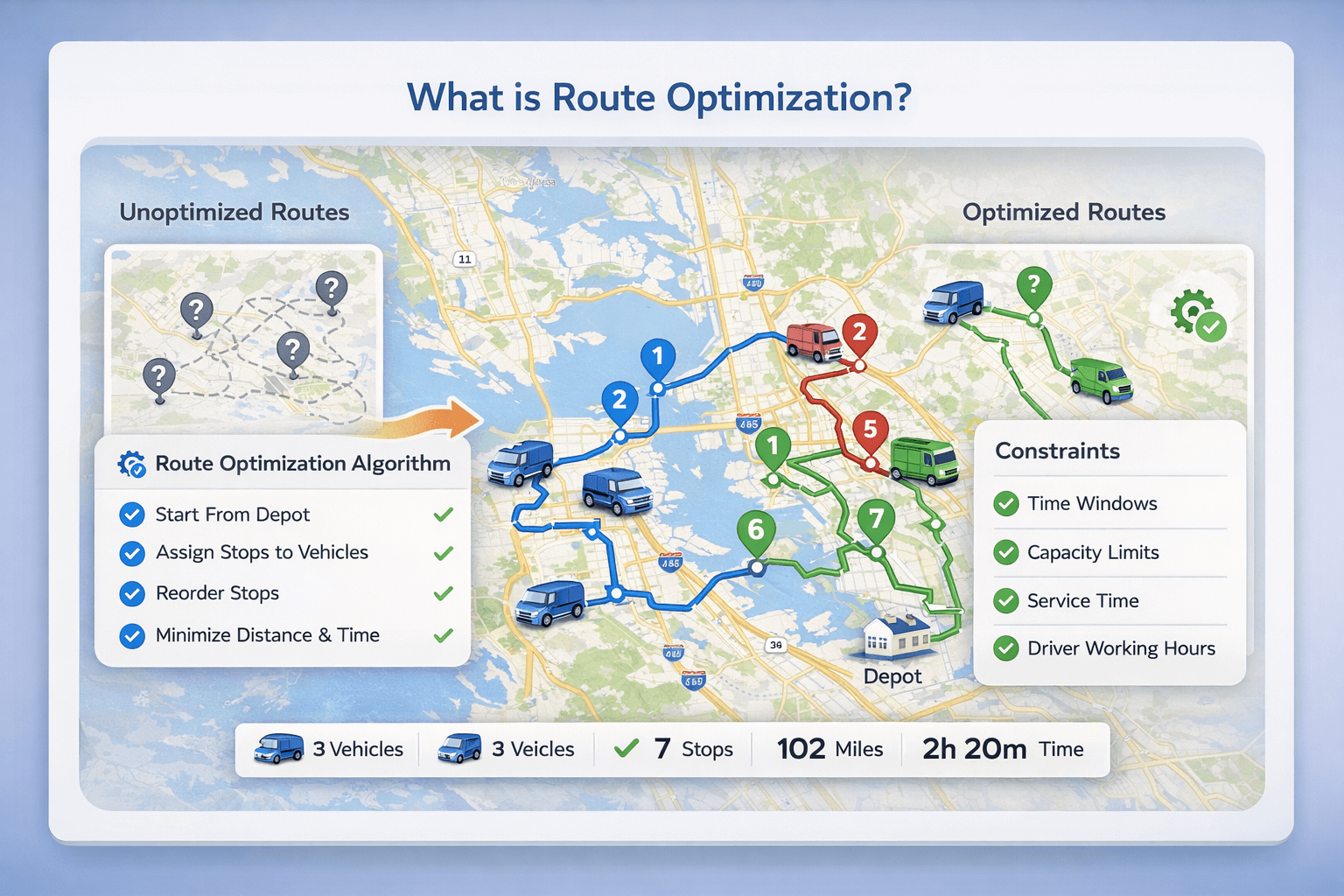 How route optimization works: stops are assigned to vehicles and ordered to minimize distance and time while respecting constraints.
For the full deep-dive (benefits, algorithms, time windows, multi-vehicle routing), read the pillar:
Route Optimization Guide.
Route optimization definition (in plain English)#
Route optimization answers two questions:
- In what order should I visit stops? (sequencing)
- Which roads should I take between stops? (routing)
It becomes especially valuable when you have many stops, time windows, or multiple vehicles.
In those cases, “good enough” manual routing often creates late arrivals, extra miles, and uneven driver workloads.
Why route optimization matters#
- Lower cost: fewer miles, less fuel, less overtime.
- Higher capacity: more stops completed per driver per day.
- Better on-time performance: routes are built around customer time windows.
- Faster dispatching: less manual route-building and fewer last-minute fixes.
For a full ROI breakdown, see:
Route optimization benefits.
Common constraints in real-world route optimization#
Time windows
If customers can only accept deliveries during certain hours, time windows prevent “impossible routes.”
Learn more:
Route optimization with time windows.
Multiple vehicles (fleet routing)
Multi-vehicle optimization assigns stops across drivers and produces multiple routes automatically—critical for delivery fleets and service teams.
Learn more:
Route optimization with multiple vehicles.
Capacity limits (weight & volume)
Capacity-aware routing prevents overloaded vehicles and reduces failed routes and costly re-deliveries.
Driver schedules
Working hours and breaks help ensure routes are feasible (and realistic) instead of “mathematically optimal but operationally impossible.”
When you need route optimization instead of manual planning#
Manual planning often breaks down when any of these are true:
- You have many stops (manual sequencing gets slow and error-prone).
- You have multiple drivers/vehicles (stop assignment becomes hard).
- You must meet time windows (late arrivals damage customer trust).
- You have capacity constraints (weight/volume must be balanced).
- Routes change often (cancellations, new stops, traffic → you need fast re-optimization).
Examples of route optimization#
Route planning vs route optimization#
Route planning is choosing a route (often manually or with basic navigation).
Route optimization uses algorithms to compute the best stop order and routes while considering constraints like time windows, multiple vehicles, capacity, and service time.
Read the full comparison:
Route planning vs route optimization.
Route optimization vs Google Maps#
Google Maps is excellent for turn-by-turn navigation and single-route guidance.
But for operational routing (delivery and fleet scheduling), dedicated route optimization typically adds:
- Stop distribution across multiple vehicles (fleet assignment)
- Time windows and schedule feasibility checks
- Capacity constraints (weight/volume)
- Service time and realistic ETA modeling
- Workload balancing across drivers
More details:
Route optimization vs Google Maps.
Quick checklist for better route optimization results#
- Use accurate addresses (or coordinates for hard-to-find locations).
- Include service time per stop (even 5 minutes matters across 40+ stops).
- Set real driver working hours and breaks.
- Add time windows where required (and don’t make them unrealistically tight).
- Re-optimize when routes change (new stops, cancellations, delays).
Ready to try it?
Use the free route optimizer
or read the pillar:
Route Optimization Guide.
FAQ#
What is route optimization?
Route optimization is the process of finding the best order and route across multiple stops while considering constraints like travel time, distance, time windows, vehicle capacity, driver hours, and service time at stops.
Why is route optimization important?
Route optimization reduces total driving time and distance, helps meet customer time windows, and can lower fuel and labor costs while enabling more stops per day.
When do you need route optimization instead of manual planning?
You typically need route optimization when you have many stops, multiple drivers, time windows, capacity limits, or strict schedules—situations where manual planning becomes slow and error-prone.
How is route optimization different from route planning?
Route planning is choosing a route (often manually or with basic navigation). Route optimization uses algorithms to compute the best stop order and route while respecting constraints like time windows, multiple vehicles, and capacity.
How is route optimization different from Google Maps?
Google Maps can reorder a list of stops for a single route, but route optimization software can also assign stops across multiple vehicles, apply time windows, handle capacity limits, include service time, and balance workload across a fleet.