Field Service Route Planning (Technicians, Appointments & Scheduling)
Field service routing is scheduling + routing at the same time.
You’re not just finding the shortest path — you’re assigning jobs to technicians, respecting appointment windows,
and ensuring every route fits inside a workday.
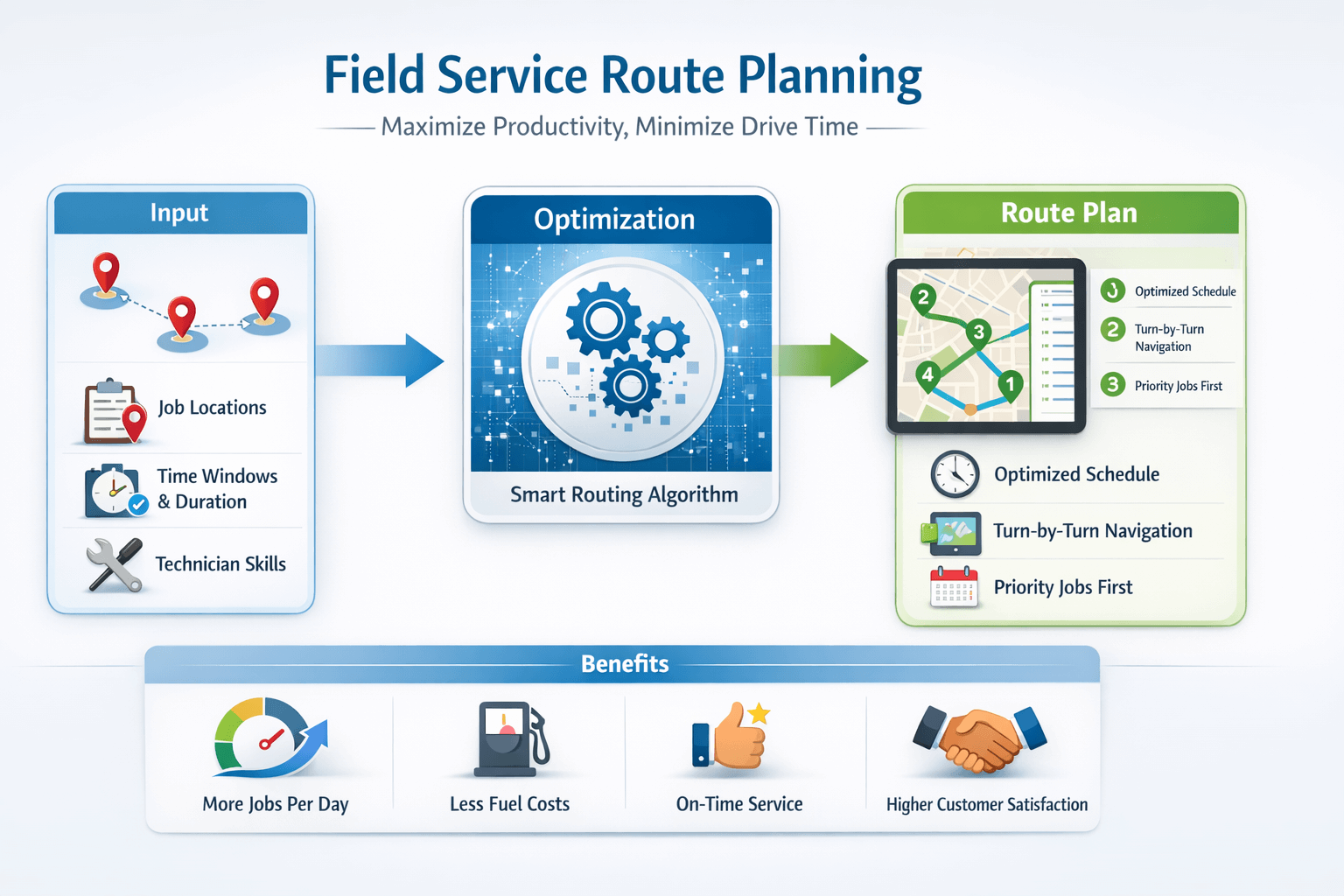 Field service planning focuses on feasibility: windows, service time, and technician working hours.
Quick answer#
Use field service route planning when you schedule technicians with appointment windows and service time.
Use route optimization when you have many jobs, multiple technicians, and constraints that require job-to-tech assignment and balancing.
Related:
Route planning vs route optimization •
How route optimization works
What is field service route planning?#
Field service route planning is the process of building a daily plan for technicians:
assigning jobs, sequencing stops, and producing routes that respect real-world constraints like appointment windows,
service time, technician working hours, and travel time.
In many cases, field service planning is a practical version of the
Vehicle Routing Problem (VRP) with heavy emphasis on scheduling.
Learn more:
Vehicle Routing Problem (VRP).
Why it matters#
Field service teams lose productivity from inefficient routing and scheduling.
Better planning improves both customer experience and technician utilization.
- Reduce windshield time: fewer miles means more time on jobs.
- Increase jobs per day: efficient sequences create capacity.
- Improve on-time arrival: appointment windows become feasible.
- Lower overtime: routes fit within working hours.
- Reduce reschedules: fewer late arrivals means fewer missed appointments.
For ROI examples, see:
Route optimization benefits.
Example: before vs after better field service routing#
Example scenario (illustrative): A team schedules 3 technicians across a metro area with 18 jobs/day.
After adding service time + appointment windows and using route optimization to balance workloads, the plan becomes more feasible
and reduces wasted driving.
| Metric |
Before (manual / basic planning) |
After (optimized + constraints) |
| Drive time per tech/day |
3h 10m |
2h 25m |
| On-time appointment rate |
82% |
93% |
| Overtime (team) |
6.5h/week |
2.0h/week |
| Jobs completed/day |
16–17 |
18–19 |
The exact results depend on territory density, service time accuracy, and how strict appointment windows are.
The biggest wins usually come from reducing backtracking and building schedules that are actually feasible.
Key constraints for field service routing#
Appointment windows
Many jobs require arrival within a specific window (e.g., 13:00–15:00).
Route planning must schedule travel + service time so technicians arrive on time.
Learn more:
Time windows & scheduling.
Service time per job
Field service jobs are not “drop-and-go.” A job may take 20–120 minutes.
If service time is ignored, ETAs become unrealistic and the day plan often fails.
Technician working hours
Good routing respects start/end times and breaks.
Plans that ignore working hours usually cause overtime or missed appointments.
Multiple technicians (multi-vehicle routing)
Multi-vehicle optimization assigns jobs across technicians and builds separate feasible routes.
Learn more:
Multiple vehicles (fleet routing).
Example: a feasible technician day#
Example scenario: you have 12 jobs, 3 technicians, and 4 appointment windows.
A feasible plan must include travel time, service time, and technician hours—otherwise ETAs won’t match reality.
| Job |
Window |
Service time |
Notes |
| HVAC maintenance |
09:00–11:00 |
60 min |
High priority |
| Install |
11:00–14:00 |
90 min |
Requires longer slot |
| Repair |
14:00–17:00 |
45 min |
Flexible but must finish today |
The planner must assign each job to a technician and order each route so every arrival fits the window.
This is why field service is more than “shortest path.”
Dispatch workflow (multi-tech scheduling)#
- Import jobs (addresses/coordinates + service time + windows).
- Add technicians with start locations and working hours.
- Optimize and assign jobs across technicians.
- Review exceptions (unassigned jobs usually mean infeasible constraints).
- Publish routes to technicians and monitor execution.
If jobs are unassigned, common causes are: windows too strict, not enough technicians,
service times too long, or technician hours too short. Adjust constraints or add capacity.
Best practices for technicians and dispatchers#
Use realistic service times
Service time is the #1 reason schedules fail. Even small underestimates compound across a day.
Use practical appointment windows
If possible, offer wider windows (e.g., 2–4 hours) and tighten only for priority jobs.
Cluster jobs geographically when possible
Grouping by zone reduces cross-town travel and improves utilization.
Re-optimize when same-day jobs appear
Same-day add-ons happen. Re-optimization prevents the “manual chaos” spiral.
Confirm technician start/end locations
If technicians start from home or different depots, include accurate start locations for better plans.
Field service industries that benefit most from better routing#
Field service route planning is especially valuable when you have tight appointment windows, high daily job volume,
or wide service territories. Here are common industries where better routing quickly improves on-time performance and utilization.
HVAC & heating/cooling
Appointment windows + variable service time. Routing reduces late arrivals and overtime.
Plumbing & home services
Same-day add-ons happen often. Re-optimization helps keep schedules feasible.
Pest control
Recurring jobs + territories. Efficient sequencing reduces drive time across daily routes.
Telecom installs & repairs
Strict time windows and job priorities. Scheduling constraints matter as much as distance.
Medical equipment delivery/service
Service-level commitments and time sensitivity. Better planning improves reliability and ETAs.
Facility maintenance
Multi-site visits across campuses or buildings. Routing reduces backtracking and wasted miles.
What to measure (KPIs)#
Tracking a few KPIs helps prove ROI and improve planning assumptions over time:
- On-time arrival rate (appointments met)
- Jobs per technician per day
- Drive time vs service time ratio
- Overtime hours
- First-time fix rate (if applicable)
For broader savings measurement:
How to measure route optimization ROI.
Free Technician Routing Checklist (PDF)
A practical one-page checklist for dispatchers and technicians: windows, service time, working hours, exceptions, and day-of re-optimization.
Download the Checklist
Try Track Planning
Tip: If you want this gated, point the button to a simple download form page and serve the PDF after submit.
FAQ#
What is field service route planning?
Field service route planning schedules and sequences technician jobs while considering appointment windows,
service time, travel time, technician working hours, and job priority.
How do appointment windows affect technician routing?
Appointment windows constrain when a job can be started or completed. A feasible plan must include travel time
and service time so the technician arrives within the allowed window.
What is service time and why does it matter?
Service time is the time spent completing a job at a stop. If service time is ignored, ETAs become unrealistic
and daily schedules often fail.
Can route planning distribute jobs across multiple technicians?
Yes. Multi-vehicle route optimization assigns jobs to multiple technicians and builds separate routes
while balancing workload and respecting time windows and working hours.