Multi-Vehicle Route Optimization (Fleet Routing Guide)
Multi-vehicle route optimization (fleet routing) is the process of distributing stops across multiple vehicles
and optimizing each route to minimize distance or time while respecting constraints like time windows, working hours,
and capacity limits.
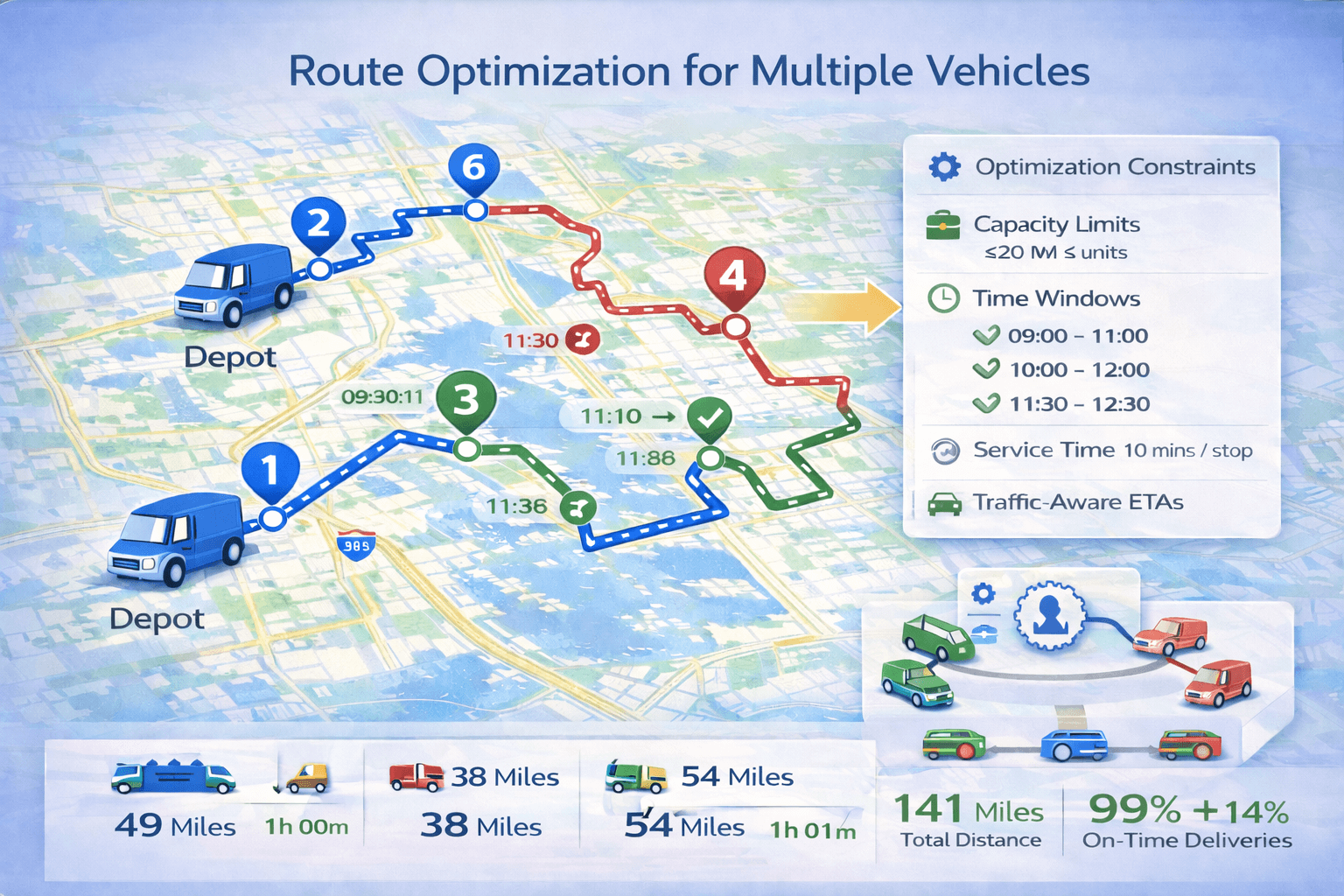 Route optimization with multiple vehicles and multiple stops.
1) What is multi-vehicle route optimization?#
Multi-vehicle route optimization is route optimization across multiple drivers or vehicles.
The goal is to create multiple routes — one for each vehicle — that collectively serve all stops efficiently.
Unlike simple route planning (choosing a route between points), fleet optimization must answer two questions:
- Which vehicle should handle which stops?
- What is the best stop order for each vehicle?
If you’re new to routing, start here:
What is route optimization? and
How route optimization works.
2) Why fleet route optimization matters#
When you have multiple drivers, routing decisions directly affect your costs and customer satisfaction.
A good fleet routing plan can reduce:
- Total driving miles
- Fuel costs
- Overtime
- Late arrivals
- Missed deliveries
It can also help ensure a fair workload across drivers and improve dispatcher productivity.
3) How multi-vehicle route optimization works#
Multi-vehicle route optimization is more complex because it involves stop assignment and route sequencing.
A typical process looks like this:
- Read all stops and vehicle data
- Apply constraints (time windows, capacities, working hours)
- Assign stops to vehicles
- Optimize each vehicle route (best stop order + travel path)
- Return routes, schedules, and reports
Many systems call this the Vehicle Routing Problem (VRP) — and with multiple vehicles and constraints,
it becomes the real-world routing problem fleets face daily.
4) Constraints: time windows, capacity, and working hours#
Time windows
Time windows restrict when a stop can be visited. Fleet routing must schedule stops across multiple routes
so every stop is visited on time. Read more:
Route optimization with time windows.
Capacity limits (weight/volume)
Capacity constraints prevent a vehicle from being assigned stops that exceed its available weight or volume.
This matters for delivery companies, food distribution, and medical logistics.
Working hours
Vehicle working hours (Time In / Time Out) define when a driver can start and must finish.
Optimization ensures routes remain feasible within those hours.
5) Balancing workload between drivers#
Fleet optimization often includes a balancing goal: prevent one driver from having 40 stops while another has 10.
Balancing can be based on:
- Number of stops
- Total driving time
- Total route duration (driving + service)
- Total load (weight/volume)
Balancing improves fairness, reduces burnout, and makes route planning more predictable.
6) Real-world examples of multi-vehicle routing#
Example A — Small delivery team (2–3 vehicles)
A local delivery company has 30 stops and 3 drivers. Fleet optimization distributes stops so each driver finishes on time.
Example B — Field service with appointments
A service company has scheduled jobs with time windows. The optimizer assigns jobs to technicians based on schedule feasibility.
Example C — Capacity-based distribution
A food distributor assigns heavy stops only to trucks with higher capacity while still minimizing total miles.
7) Common mistakes in fleet route optimization#
Mistake 1 — Not using capacity limits
If you don't set weight/volume constraints, a route may look good on a map but fail in practice.
Mistake 2 — Not using service time
If a stop takes 10 minutes and you ignore service time, the schedule will be unrealistic.
Mistake 3 — Too few vehicles for the workload
When time windows are strict, you may need more vehicles or longer working hours to satisfy all stops.
Mistake 4 — No balancing goal
Without balancing, one driver may receive too many stops, causing delays and overtime.
8) Best practices for multi-vehicle route optimization#
- Always enter realistic working hours
- Use service time to create accurate schedules
- Use time windows only when needed (avoid overly narrow windows)
- Set vehicle capacity if load matters
- Balance workloads using stops, time, or distance metrics
- Use driver apps to track execution and update ETAs
For a simple comparison of routing approaches, see:
Route planning vs route optimization.
Optimize Fleet Routes With TrackRoad
Import stops, add vehicles, distribute stops automatically, and generate optimized routes for every driver.
Start Fleet Optimization
View Pricing
9) How TrackRoad supports multi-vehicle routing#
TrackRoad helps dispatchers and delivery companies by providing:
- Stop distribution across multiple vehicles
- Time windows and service time
- Vehicle capacity constraints (weight/volume)
- Driver working hours (Time In / Time Out)
- Optimized stop order and route schedules
- Driver mobile apps for iOS and Android
- Reports and route analytics
You can try multi-vehicle optimization online here:
TrackRoad Route Optimization Tool.
10) FAQ#
Can multi-vehicle optimization include time windows?
Yes. Fleet routing can optimize multiple routes while ensuring each stop is visited inside its delivery window.
How does software choose which stops go to which vehicle?
Stops are assigned based on proximity, travel time, vehicle start/end locations, constraints, and balancing goals.
The optimizer finds assignments that minimize total cost while keeping routes feasible.
Can TrackRoad send routes to drivers?
Yes. TrackRoad supports driver apps for iOS and Android, allowing drivers to view routes, reorder stops,
mark stops visited, and update progress.