Route Optimization for Sales Reps: More Visits, Less Drive Time
Sales teams win by spending time with customers — not sitting in traffic.
Route optimization helps sales reps plan multi-stop routes, reduce windshield time,
arrive on time, and visit more accounts per day—especially when territories are large or schedules are tight.
Quick answer:
Route optimization for sales reps is the process of choosing the best stop order and driving routes for multiple customer visits
using realistic travel time and constraints like meeting windows and visit duration—so reps can reduce driving and increase daily visits.
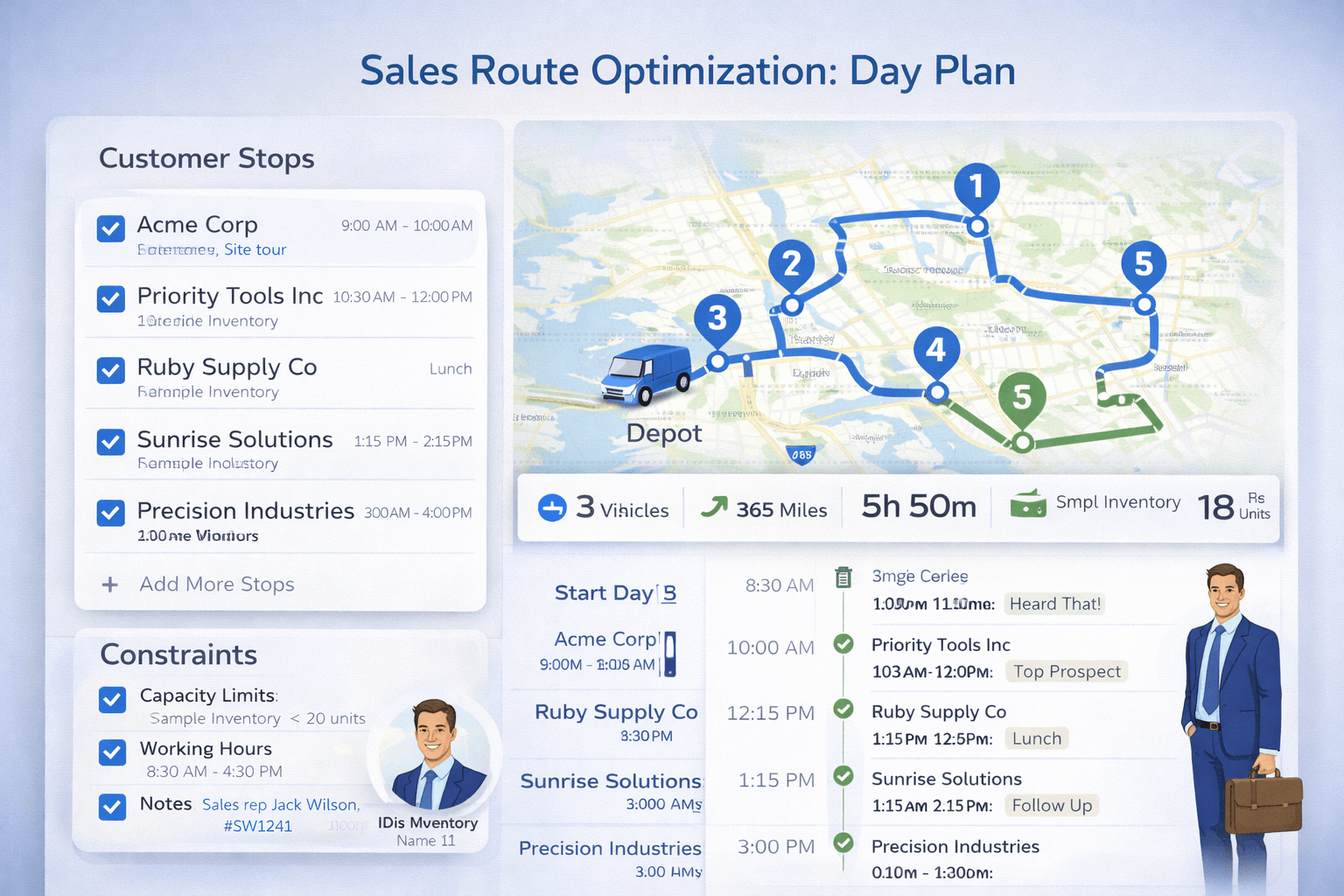 Example day plan: fixed meetings (time windows) + flexible customer visits → optimized stop order + realistic schedule.
Why route optimization matters for sales#
A rep’s day is capacity-limited. If two hours disappear to inefficient routing, that’s fewer meetings,
fewer demos, and fewer follow-ups. Route optimization improves sales productivity by turning travel time into customer time.
- Visit more accounts: reduce unnecessary miles and fit more stops into the day.
- Reduce drive time: better stop order means less backtracking and fewer zig-zag routes.
- Arrive on time: meeting windows are easier to keep with realistic ETAs.
- Improve territory coverage: consistent cadence without wasting travel.
- Standardize performance: route quality no longer depends on who’s “good at maps.”
For broader operational impact, see:
Route optimization benefits.
Common sales routing problems (and why they happen)#
Many sales teams still plan by intuition. That usually leads to inefficiency that compounds over weeks:
- Backtracking: the same area gets crossed multiple times in one day.
- Late arrivals: travel time and buffers weren’t planned realistically.
- Overloaded days: too many meetings scheduled without travel time + visit duration.
- “One far stop” problem: a single remote account breaks the entire day’s efficiency.
- No repeatable cadence: territories are visited inconsistently.
What sales reps should optimize#
Stop order (multi-stop routing)
With 8–20+ visits, the best order is rarely obvious. Optimization reduces crossing paths and wasted miles.
Visit duration (service time)
A customer visit is not “instant.” Add an estimated duration (15, 30, 60 minutes, etc.) so your schedule is realistic.
Meeting windows (time windows)
If an account is only available 10:00–12:00, the route must be sequenced to arrive in that window.
Learn more:
Route optimization with time windows.
Priorities (must-hit accounts)
Some stops are “must-hit” (renewals, high ARR, escalation). Use tighter windows or priority ordering for these accounts.
Route planning vs Google Maps vs route optimization#
| Capability |
Manual planning |
Google Maps |
Route optimization |
| Turn-by-turn navigation |
❌ |
✅ |
✅ (often via app/integration) |
| Best stop order (many stops) |
⚠️ Guessing |
⚠️ Limited |
✅ |
| Meeting windows (time windows) |
⚠️ Manual |
❌ |
✅ |
| Visit duration included in schedule |
⚠️ Manual |
❌ |
✅ |
| Repeatable daily/weekly cadence |
⚠️ Hard |
❌ |
✅ |
| Balance accounts across multiple reps |
⚠️ Manual |
❌ |
✅ |
If you’re deciding between planning and optimization, see:
Route planning vs route optimization.
If your question is “Maps vs optimizer,” see:
Route optimization vs Google Maps.
Territory planning and visit clustering#
Optimizing one day is good. Optimizing a territory strategy is better.
For outside sales, the biggest efficiency gains usually come from clustering accounts
and building a repeatable cadence.
Cluster accounts into zones
Group accounts geographically (north/south/east/west or by neighborhoods). Reps focus on one zone per day to reduce cross-territory travel.
Use “anchor accounts”
Set 1–2 high-priority accounts as anchors. Then fill the day around them with nearby stops.
Decide when a far stop is worth it
If one far stop adds 60 minutes of drive time, it may belong on a different day or be handled remotely.
Optimization helps you see the real cost of that stop.
Weekly territory cadence template (simple and effective)#
A strong default schedule for territories is zone-based planning. Example:
Example weekly cadence:
Monday: North zone (prospecting + follow-ups)
Tuesday: Central zone (existing accounts)
Wednesday: South zone (demos)
Thursday: “Flex day” (hot leads / reschedules / far accounts)
Friday: Admin + short local visits
The goal is predictable coverage and lower travel variance week to week.
KPIs to track (to prove route optimization ROI)#
- Drive time per day (minutes) and trend over time
- Meetings per day (completed visits)
- On-time arrival rate (percent of meetings started on time)
- Drive-to-meeting ratio (drive time ÷ customer time)
- Territory coverage cadence (days between visits for key accounts)
If you also have delivery/field teams, ROI measurement applies similarly:
route optimization benefits.
Sales route optimization checklist#
- ✅ Customer list is accurate (addresses or coordinates)
- ✅ Start location is set (home/office)
- ✅ Visit duration added (15/30/60 minutes)
- ✅ Meeting windows added for fixed appointments
- ✅ Priority accounts marked as must-hit
- ✅ Route optimized (stop order + ETAs reviewed)
- ✅ Buffer time included for traffic / parking
For multi-stop tooling comparisons, see:
Best route planner for multiple stops.
Common mistakes (and what to do instead)#
Mistake: Scheduling meetings without travel time
Fix: include realistic travel time and buffers, then optimize stop order around fixed meetings.
Mistake: Too many “must-hit” time windows
Fix: keep strict windows only for critical accounts; too many constraints makes the day infeasible.
Mistake: Visiting “one far account” on the wrong day
Fix: move far accounts to a flex day, or group far accounts together on the same route.
Mistake: Never reviewing territory strategy
Fix: review zones monthly/quarterly and rebalance accounts as territories evolve.
Build an Optimized Sales Day Plan
Paste a list of accounts, add meeting windows and visit duration, and generate a realistic daily route instantly.
Optimize Sales Visits
View Pricing
FAQ#
Can route optimization help me visit more customers per day?
Yes. By reducing backtracking and improving stop order, many reps free up time for additional visits—especially in large territories.
Is Google Maps enough for sales routes?
Google Maps is excellent for navigation, but it does not build a full-day schedule with visit durations and meeting windows.
Route optimization tools are built for multi-stop planning.
See:
Route optimization vs Google Maps.
What input do I need for sales route optimization?
Customer addresses (or coordinates), your start location, expected visit duration, optional meeting windows, and priority stops.
The optimizer produces a stop sequence and ETAs.
Can I plan across multiple reps?
Yes. Multi-vehicle optimization distributes accounts across reps (vehicles) and generates separate routes.
Learn more:
Multiple vehicles routing.