Free Route Optimization Tool (Multi-Stop Route Planner Online)
If you need to optimize delivery routes, plan routes with multiple stops, or distribute stops across multiple drivers,
TrackRoad provides a free route optimization tool and
free delivery route optimizer you can use online.
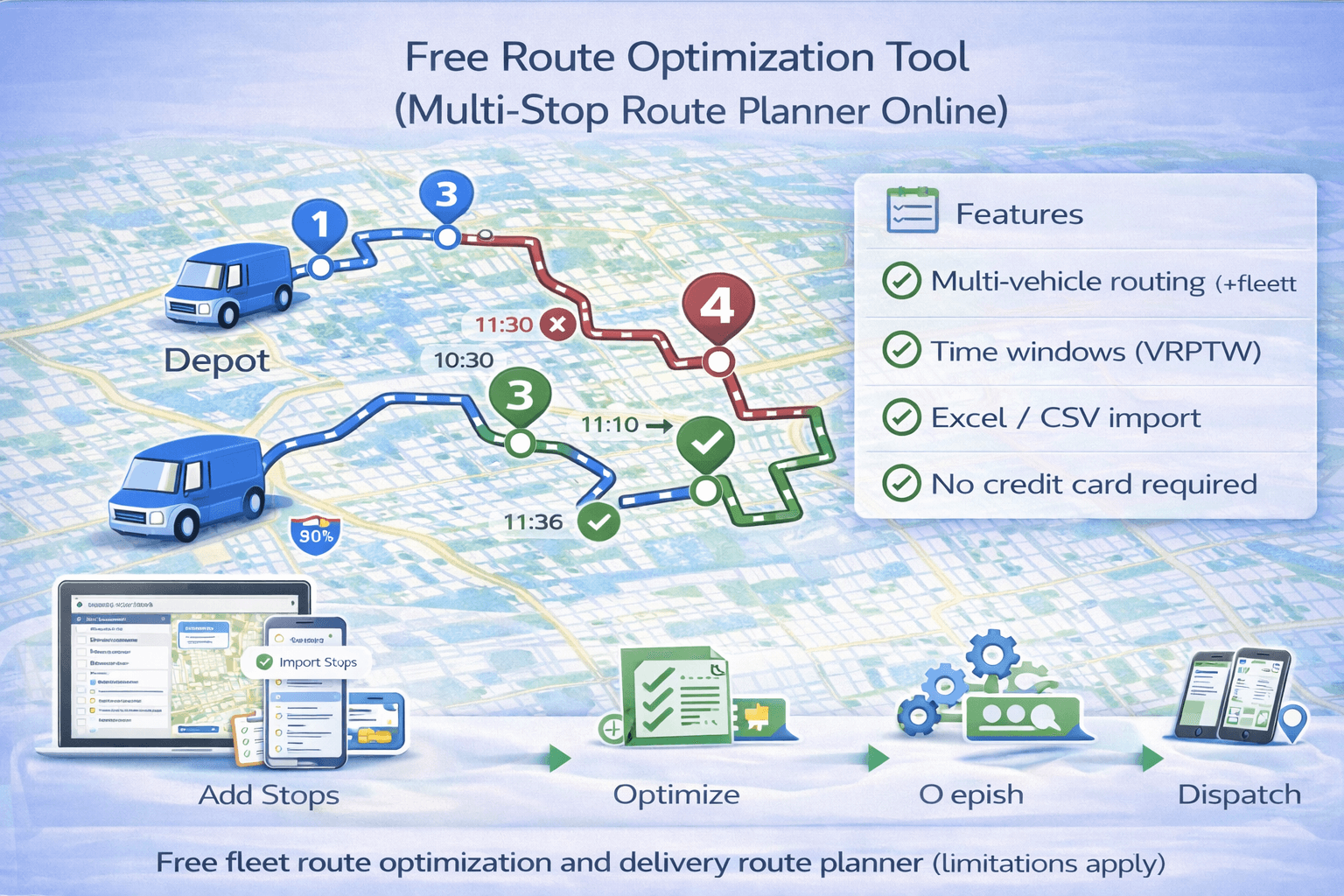 TrackRoad’s free route optimization tool lets you optimize multi-stop routes, apply time windows,
and distribute stops across multiple vehicles — directly in your browser.
TrackRoad’s free route optimization tool lets you optimize multi-stop routes, apply time windows,
and distribute stops across multiple vehicles — directly in your browser.
A route optimization tool finds the best route across multiple stops while minimizing distance, time,
or delivery costs. Unlike basic maps apps, route optimization tools can also handle:
- Multiple stops (multi-stop route planning)
- Multiple vehicles / drivers (fleet routing)
- Time windows (scheduled delivery slots)
- Capacity limits (weight / volume)
- Driver working hours
- Stop service time (loading/unloading)
Learn the concepts behind optimization here:
Route Optimization Guide.
From a technical perspective, route optimization solves a class of problems known as the
Vehicle Routing Problem (VRP)
,
where the goal is to visit multiple locations efficiently while respecting real-world constraints.
2) Why use a free route optimizer?#
Many businesses start with a free route planner to test optimization, validate savings, and improve delivery operations.
Even a basic optimization tool can:
- Reduce miles driven
- Save fuel costs
- Reduce overtime
- Improve delivery reliability
- Improve dispatcher productivity
In many real businesses, route optimization reduces driving time and distance by 10–30%.
This makes free fleet route optimization especially valuable for small delivery teams
and businesses testing routing workflows before scaling.
3) Who benefits from route optimization?#
Route optimization is useful for any business that visits multiple locations daily.
If your main challenge is simply planning many stops efficiently,
a multi-stop route planner
may be a good starting point.
- Delivery companies (parcel, food, grocery)
- Couriers and same-day delivery
- Field service teams
- Sales reps and merchandisers
- Medical delivery and lab pickups
- Maintenance and installation teams
TrackRoad uses routing logic designed for real delivery operations, not just “map stop ordering.”
It can optimize routes with constraints such as
time windows
,
multiple vehicles, and driver schedules:
- Stop time windows
- Multiple vehicles and depots
- Driver working hours
- Vehicle capacity (weight/volume)
If you need deeper explanations, see:
How route optimization works
and
Route optimization with time windows.
This makes TrackRoad suitable as a free multi-vehicle route planner
for teams managing more than one driver.
5) How to use TrackRoad’s free route optimizer (step-by-step)#
Step 1 — Open the route optimization tool
Go to:
TrackRoad Route Optimization Tool
Step 2 — Add stops
Add stops manually or import a list from Excel, text file, or copy/paste addresses.
Step 3 — Add time windows (optional)
If customers have delivery slots, enter time windows for each stop.
Step 4 — Add vehicles (optional)
Add multiple vehicles/drivers for fleet optimization and stop distribution.
Learn more:
Multi-vehicle route optimization.
Step 5 — Optimize
Click optimize. TrackRoad will generate:
- Optimized stop order
- Route schedules
- Separate routes for each vehicle
- Reports and summary analytics
Step 6 — Send routes to drivers
Drivers can use TrackRoad iPhone and Android apps to view routes, mark stops completed,
and update route status.
If you want a full delivery workflow, see:
How to optimize delivery routes.
6) Key features included in TrackRoad#
Multi-stop route planning
Optimize routes for dozens or hundreds of stops.
Time windows + service time
TrackRoad works as a route optimizer with time windows,
ensuring deliveries happen within allowed time ranges
while still minimizing total distance and drive time.
Multiple vehicles and stop distribution
Distribute stops across vehicles and balance driver workload.
Mobile apps for drivers
Drivers can view routes, navigate, reorder, and mark stops completed.
Reports and export
View route summaries, stop lists, and reports. Export for billing or operations analysis.
A free route optimizer is perfect for testing and small daily needs, but businesses usually upgrade when they need:
- More stops per route
- More vehicles
- More advanced constraints
- Driver tracking and automation
- API integration with dispatch systems
TrackRoad provides a free tool for public access, and paid plans for larger teams and operational scaling.
If you’re evaluating long-term solutions, see our full comparison:
Best Route Optimization Software (Comparison & Buyer’s Guide)
.
Free route optimization tools are ideal for testing and small-scale planning,
but they usually include limitations that matter as your operation grows.
- Limits on number of stops per route
- Limits on number of vehicles
- Reduced optimization complexity
- No automation or API access
- Limited reporting and analytics
TrackRoad’s free tool lets you experience real route optimization logic,
then upgrade only when you need higher limits, automation, or team workflows.
9) Common mistakes to avoid#
Mistake 1 — Using Google Maps for fleet routing
Google Maps can reorder stops, but it cannot distribute stops between vehicles or apply capacity constraints reliably.
Mistake 2 — Ignoring service time
If each stop takes 10 minutes and you ignore it, your schedule becomes unrealistic.
Mistake 3 — Not adding working hours
Working hours are required for realistic fleet routing and to avoid overtime.
Yes. TrackRoad provides a free, publicly accessible route optimization tool.
You can optimize routes without entering payment information.
Free usage includes limitations to protect system resources.
Paid plans unlock higher limits, advanced constraints, and automation.
11) FAQ#
Is TrackRoad’s route optimizer really free?
Yes. TrackRoad offers a public route optimization tool with free usage, with limitations for unregistered users.
Paid plans provide larger limits and advanced features.
Can I import stops from Excel?
Yes. TrackRoad supports importing stops from Excel and text files, as well as copy/paste lists of addresses.
Does TrackRoad support time windows?
Yes. You can set time windows per stop and optimize routes while respecting scheduled delivery slots.
Can TrackRoad optimize routes for multiple drivers?
Yes. TrackRoad supports multi-vehicle routing and can distribute stops between vehicles automatically.